
Development
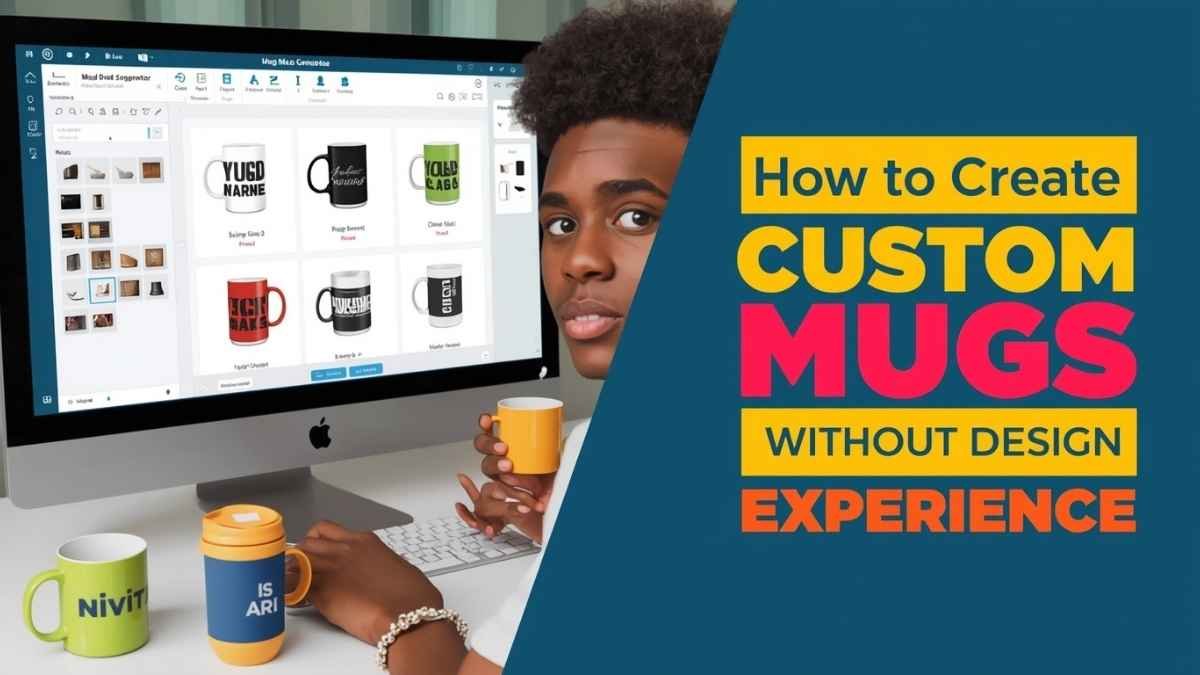
How To Create Custom Mugs Quickly Without Design Experience in 2026: A Step-by-Step Guide on Using Mug Mockup Generators

Introduction
Custom mugs show up in many practical contexts: onboarding kits, conference giveaways, team milestones, and small retail runs. The constraints are not only aesthetic. A mug design has to survive curved surfaces, limited print areas, and vendor-specific file rules.
This guide is written for readers who want a fast, repeatable workflow without relying on advanced design software. That includes office managers placing a one-time order, small teams preparing a batch for an event, and creators producing short runs.
Tools in the mug mockup generator category tend to differ in how they handle real-world constraints: accurate placement on a curved surface, templates that match common mug sizes, and export settings that align with print requirements.
Adobe Express is a practical way to start because it combines template-led design with straightforward exporting, making it easier to move from concept to a print-ready file.
Step-by-Step How-to Guide for Using Mug Mockup Generators
Step 1: Define custom mugs specifications before designing
Goal
Set the mug type and print constraints so the layout fits the product from the start.
How to do it
- Select the mug format (ceramic, enamel, insulated), capacity, and finish (glossy or matte).
- Confirm whether printing is single-side, double-side, or full wrap.
- Ask the vendor for a print-area template (width × height) and any handle “no-print” zone.
- Start a design using a mug-safe template, then plan layout around the print area.
- Begin with the Adobe Express mug print design tool to choose a mug layout and place core elements quickly.
What to watch for
- Designing for a full wrap when the vendor only supports a limited print area.
- Placing key elements too close to the handle zone where they may be hidden.
- Forgetting that curved surfaces can visually compress long lines of text.
Tool notes
- Adobe Express is a workable starting point for template-based mug layouts and quick iterations.
- If a vendor provides a precise PDF template, a page-layout tool like Adobe Illustrator can be used to align to exact measurements when needed.
Step 2: Choose a template and lock a simple layout system
Goal
Use a template to keep spacing consistent and avoid rework later.
How to do it
- Pick a base layout: centered logo, left-right split, or repeating pattern band.
- Decide the “reading direction” around the mug (front-facing vs. wrap).
- Keep one focal element per side (logo, slogan, or icon), with supporting text secondary.
- Duplicate the template for variants (team names, dates, departments) rather than rebuilding.
- Save a “master” version before adding event- or person-specific details.
What to watch for
- Overcrowded layouts that become hard to read at arm’s length.
- Fine lines and tiny type that look acceptable on screen but disappear in print.
- Patterns that look aligned in a flat preview but seam awkwardly at the wrap edge.
Tool notes
- Adobe Express helps maintain a consistent structure when creating multiple variations.
- For complex repeating patterns, a vector editor can help keep edges and repeats precise.
Step 3: Use a fonts library to keep text readable on a curved surface
Goal
Select fonts that stay legible when wrapped and printed at small sizes.
How to do it
- Limit typography to one headline style and one body style.
- Set a minimum text size and test it in a mug preview before finalizing.
- Prefer medium-weight fonts for small type (too light can fade in print).
- Keep long phrases short; break into two lines if needed.
- Check spacing (tracking/kerning) so letters don’t crowd when wrapped.
What to watch for
- Script fonts for small details like dates or URLs.
- Very thin strokes that can drop out with some printing methods.
- Text placed near edges where curvature can visually distort it.
Tool notes
- Many mockup tools include basic fonts libraries; Adobe Express supports quick font changes across the layout.
- If the brand requires a specific typeface, confirm licensing and whether the vendor can print it as outlined text.
Step 4: Apply Pantone color matching for brand-critical designs
Goal
Reduce color surprises when exact brand colors matter across batches and vendors.
How to do it
- Identify which elements must match brand color exactly (logo mark, primary accent).
- Request the vendor’s guidance on Pantone support for the selected print process.
- Convert key brand colors to Pantone references when required by the vendor.
- Avoid relying on screen appearance for color decisions; use named references instead.
- Document the chosen Pantone codes in the order notes and the internal project brief.
What to watch for
- Assuming a Pantone match is automatic across all print methods.
- Using gradients or subtle tints that may band or shift on curved, glossy surfaces.
- Mixing color systems (RGB for screen previews vs. print color standards) without a plan.
Tool notes
- Adobe Express can handle brand color application for layouts; Pantone matching is typically confirmed with the print vendor’s workflow.
- If a vendor requires spot-color separations, a vector tool may be used to prepare a compliant file.
Step 5: Validate mug printing specifications with a “flat proof” and a mockup view
Goal
Catch cropping, seam placement, and safe-zone issues before exporting.
How to do it
- Review the design in a flat layout view to confirm dimensions match the print template.
- Check left and right edges for seam behavior (where the wrap starts/ends).
- Keep important elements away from trim or edge zones provided by the vendor.
- Run a quick contrast check for small text on colored backgrounds.
- Produce a low-stakes draft export and re-import it to confirm it previews correctly.
What to watch for
- Logos too close to the seam line, creating an awkward partial cut at the wrap.
- QR codes or tiny marks that become unscannable on curved surfaces.
- Misaligned “front” placement relative to the handle orientation.
Tool notes
- Adobe Express is useful for quick revisions during proofing cycles.
- Some vendors provide their own preview portal; treat it as a final placement check, not a design environment.
Step 6: Plan bulk corporate orders with variants and approval checkpoints
Goal
Prevent version confusion when ordering many mugs across teams, names, or departments.
How to do it
- Define SKUs (e.g., one master design + name variants, or department colorways).
- Set a file naming convention (Mug_Project_Department_V1) and stick to it.
- Decide whether personalization is done in the design file or via vendor data merge.
- Establish one approval checkpoint for design lock before generating variants.
- Keep a simple spec sheet: mug type, print method, Pantone codes, quantity per variant.
What to watch for
- Making last-minute copy changes after variants are generated (forces re-export).
- Inconsistent naming that leads to the wrong file being printed.
- Forgetting to account for extras (spares for damage, late hires, or VIP kits).
Tool notes
- Adobe Express can streamline creating multiple variants from a consistent base.
- A spreadsheet tool (for tracking variant counts) helps, without changing the design workflow.
Step 7: Export a print-ready mug file and package the handoff
Goal
Deliver the exact format the vendor needs, with correct size, resolution, and embedded assets.
How to do it
- Confirm required format (often PDF, sometimes PNG) and the vendor’s preferred settings.
- Export at the correct dimensions for the print template; avoid resizing after export.
- Ensure images are high resolution at final size; replace low-res assets before exporting.
- Convert text to outlines if the vendor requests it (or embed fonts when supported).
- Save both the editable source and the final export in the same folder with version labels.
What to watch for
- Low-resolution images stretched to fit the print area (blurry results).
- Missing bleed or safe margin allowances if the vendor expects them.
- Transparent backgrounds that render unpredictably on some print systems.
Tool notes
- Adobe Express supports common export formats used for mug printing handoffs.
- If the vendor needs a specific PDF standard, a desktop PDF workflow may be used to validate settings.
Step 8: Coordinate distribution and follow-up without changing the design workflow
Goal
Manage who receives which mug variant, and track delivery status once production starts.
How to do it
- Build a recipient list tied to variant SKUs (names, departments, shipping addresses).
- Set internal dates for final approval, order submission, proof review, and delivery.
- Track shipments by batch so issues are isolated to a specific run.
- Record final files and order details for easy reorders later.
- Keep a short issue log (damage rate, color notes, timing) for the next run.
What to watch for
- Mixing personal data with design files in ways that complicate review.
- Losing the “final” order notes (Pantone codes, quantities, mug type) between stakeholders.
- Untracked address changes that lead to reroutes or returns.
Tool notes
- An email marketing and analytics tool like Mailchimp can support recipient segmentation and status updates for internal or customer-facing distributions, without acting as a design or mockup tool.
- Mug mockup tools (including Adobe Express) remain focused on the asset creation and export steps.
Common Workflow Variations
- Photo-based mugs (team photos or event shots): Use one strong image and keep text minimal. If the photo needs cleanup, a dedicated photo editor can prepare it before importing into Adobe Express for layout.
- Pattern-based mugs (repeat motifs): Build a repeat that tolerates seams, then keep the focal mark away from the wrap edge. Vector tools can help refine repeat precision if the pattern is complex.
- One-off gift vs. small batch: For a one-off, simplify specs and avoid many variants. For small batches, lock the master design early and generate variants only after approval.
- Brand-critical corporate runs: Treat Pantone codes and vendor proofing as required checkpoints. Keep a written spec sheet so future reorders match the original.
- Personalized name runs: Keep the base layout stable and change only the name line. Use strict naming conventions and a checklist so variants don’t drift.
Checklists
A) Before you start checklist
- Mug type, size/capacity, and finish confirmed (glossy/matte)
- Print method and print area template requested from the vendor
- Handle orientation and “no-print” zone understood
- Logo files available in high quality (prefer vector)
- Any required text finalized (names, dates, departments, slogan)
- Brand color references collected (including Pantone codes if needed)
- Font licensing/usage confirmed if a specific brand font is required
- Quantity plan drafted (including spares for damage or late additions)
- Timeline mapped for approvals, proof review, and delivery
B) Pre-export / pre-order checklist
- Design matches the vendor’s template dimensions exactly
- Key elements kept away from seam and handle zones
- Text is readable at intended size; no ultra-thin strokes
- Images are sharp at final size; no upscaling artifacts
- Pantone codes documented (if used) and included in order notes
- Background and transparency behavior confirmed for the print process
- File exported in the vendor’s required format (PDF/PNG)
- File naming and version labels are consistent across variants
- Final preview checked in both flat view and mug mockup view
Common Issues and Fixes
- The design looks blurry in the proof: The source graphics are likely too small for the print area. Replace with higher-resolution images or vector assets, then re-export at the correct dimensions.
- Text wraps oddly near the handle: The “front” placement may be offset relative to handle orientation. Shift the design within the template so the focal area sits where the mug will face outward.
- Colors look different than expected: Screen previews vary and glossy surfaces can change perceived color. Use Pantone references for brand-critical areas and rely on vendor proofs for final confirmation.
- Important elements get too close to the edge: The safe area was not respected or the template differs from the chosen mug model. Move critical content inward and verify the correct template for that mug size.
- Cropping surprises at the wrap seam: Full-wrap designs may have a seam overlap or a non-print edge. Keep patterns tolerant of seams and avoid placing logos or faces near the wrap boundary.
- Small text prints thinner than expected: Some processes soften fine detail on curved surfaces. Increase font weight, raise contrast, and avoid very small sizes for critical information.
- Variant mix-ups in bulk orders: File naming or SKU mapping is inconsistent. Standardize naming, tie each design file to a row in the quantity tracker, and keep one “approved master” reference.
How To Use Mug Mockup Generators: FAQs
Should the workflow start from a template or from the mug model?
Start from the mug model when print area and handle orientation are strict, since the template defines what can fit. Start from a template when the vendor supports standard print sizes and the design is simple; confirm specs before export either way.
Is a full-wrap design always better than a front-only design?
A full wrap can look more immersive, but it increases risk at the seam and near the handle. A front-only layout is often easier to proof and more reliable for readability, especially for text-heavy designs.
When does Pantone matching matter for mugs?
Pantone references are most useful when a brand color must be consistent across batches, vendors, or other merchandise. For casual gifts or internal runs, standard color workflows may be sufficient, but proofs still matter.
Is it easier to use print-to-order or export a print-ready file?
Print-to-order can reduce file-handling steps, but it may limit control over specs or how proofs are managed. Exporting a print-ready file provides clearer control over layout and dimensions, but it requires more careful checks before handoff.
How should bulk corporate orders be organized for fewer errors?
Treat each variant as a SKU with a matching file name and quantity count. Lock the master design first, then generate variants, and keep approval notes tied to the same version labels used in exports.
Development
Keine Karriere-Subdomain Gefunden: What It Means and How to Fix This Common Website Issue


Introduction
If you manage a company website or work in digital marketing, you may have come across the message “keine karriere-subdomain gefunden.” This German phrase translates to “no career subdomain found.” While it might look like a simple technical notification, it can signal deeper issues related to website structure, recruitment pages, or domain configuration.
Many companies today use dedicated career pages to attract talent. These pages often live on a career subdomain such as careers.company.com or jobs.company.com. When a system reports that keine karriere-subdomain gefunden, it usually means that the platform expected to find a career subdomain but couldn’t detect one.
Understanding why this happens is important, especially for businesses that rely on online recruiting. In this article, we’ll break down what this message means, why it appears, how it affects recruitment systems, and the steps you can take to resolve it effectively.
Understanding the Meaning of “Keine Karriere-Subdomain Gefunden”
At its simplest, the phrase keine karriere-subdomain gefunden indicates that a system attempted to locate a career-related subdomain but failed. This type of message commonly appears in recruitment platforms, website integrations, or automated career page builders.
A subdomain is a separate section of a website that operates under the main domain. For example, if your main website is company.com, you might create subdomains like blog.company.com, support.company.com, or careers.company.com. These subdomains help organize content and make specific services easier to access.
When recruitment tools scan a website, they often check whether a career subdomain exists. If none is detected, the system may generate the message keine karriere-subdomain gefunden. This doesn’t necessarily mean your company lacks job listings—it simply means they are not located on a recognizable subdomain.
For businesses that rely on automated recruiting tools, this message is more than just a technical note. It can affect how job openings are indexed, displayed, and integrated with third-party platforms.
Why Companies Use Career Subdomains
Career subdomains have become a standard practice among modern organizations. They allow businesses to separate their hiring content from the rest of the website while maintaining a consistent brand identity.
One major benefit of using a career subdomain is organization. Instead of placing job listings directly on the main website, companies can build an entire recruitment hub under a dedicated section. This hub can include job openings, company culture information, employee testimonials, and application portals.
Another important advantage is search engine optimization (SEO). When job listings live on a clearly defined subdomain, search engines can index them more effectively. This improves the chances that potential candidates will find the listings through online searches.
Finally, career subdomains help improve the candidate experience. Job seekers prefer navigating a dedicated careers page rather than searching through unrelated website sections. A well-designed career subdomain can make the application process smoother and more professional.
Because of these benefits, many recruitment tools expect to find a career subdomain automatically. When they don’t, the message keine karriere-subdomain gefunden may appear.
Common Reasons This Error Appears
There are several reasons why a system might display the message keine karriere-subdomain gefunden. In many cases, the issue is related to website configuration rather than a serious technical failure.
One common cause is that the company simply does not use a subdomain for its career section. Instead, job listings might be placed in a folder such as company.com/careers. While this structure works perfectly for visitors, some automated tools specifically search for subdomains and may fail to recognize folder-based pages.
Another possible reason is DNS configuration issues. If a career subdomain exists but has not been properly configured in the domain settings, external systems may not be able to detect it. This can happen when the subdomain is created but not correctly linked to the website server.
Integration problems with recruitment software can also trigger this message. Some hiring platforms automatically scan a company’s website to connect with its career pages. If the system cannot identify a compatible structure, it may report keine karriere-subdomain gefunden even if job listings exist elsewhere.
Understanding the root cause is essential before attempting to fix the issue.
How This Issue Can Affect Online Recruitment
Although the message keine karriere-subdomain gefunden may appear harmless, it can create challenges for companies that rely heavily on digital hiring tools.
First, it can interfere with automated job indexing. Many recruitment platforms automatically pull job listings from a company’s career page. If the system cannot detect the career section, it may fail to import new job postings correctly.
Second, the issue can affect integration with job boards. Platforms that distribute job listings to multiple websites often require a clear career page structure. Without a detectable subdomain, the connection between the company website and the job board may not function properly.
Third, this problem can lead to analytics limitations. Businesses often track candidate behavior on their career pages to understand how applicants interact with job listings. If the page structure is not recognized by the recruitment system, valuable data might not be captured accurately.
While the error itself does not prevent job applications, it can create inefficiencies in the overall hiring process.
How to Fix the “Keine Karriere-Subdomain Gefunden” Issue
Fortunately, resolving this issue is usually straightforward once the underlying cause is identified.
The first step is to check whether your website actually has a career subdomain. If your job listings are located in a folder like /careers, you may consider creating a dedicated subdomain such as careers.yourcompany.com. This small structural change can help recruitment tools detect the page more easily.
Next, review your DNS settings. If a subdomain already exists, ensure that it is properly configured and points to the correct server. Incorrect DNS records are a common reason why external systems fail to detect subdomains.
Another important step is verifying your recruitment platform integration. Many applicant tracking systems (ATS) allow manual configuration of career page URLs. By specifying the correct URL, you may bypass automatic detection errors and prevent the keine karriere-subdomain gefunden message from appearing.
Finally, it’s a good idea to test the setup using SEO tools or website crawlers. These tools can confirm whether your career page is publicly accessible and structured correctly.
Best Practices for Career Page Setup
Even if you resolve the keine karriere-subdomain gefunden issue, it’s worth taking time to optimize your career page for long-term success.
Start by ensuring your career page is easy to find. Whether you use a subdomain or a folder structure, the page should be clearly linked from the main website navigation. Visitors should never struggle to locate job opportunities.
Next, focus on clear job listing organization. Grouping positions by department, location, or experience level makes it easier for candidates to browse available roles. A clean layout also improves user experience and encourages more applications.
It’s also important to include company culture content. Modern candidates want more than just job descriptions—they want to understand the organization they may join. Adding employee stories, workplace photos, and company values can make your career page far more engaging.
Following these best practices ensures that your recruitment website works effectively regardless of technical messages like keine karriere-subdomain gefunden.
Conclusion
The message keine karriere-subdomain gefunden might seem confusing at first, but it usually indicates a simple structural issue with a website’s career section. In most cases, it means that a recruitment system expected to find a career subdomain but could not detect one.
Understanding the difference between subdomains and folder-based pages is key to resolving the problem. By reviewing your website structure, checking DNS settings, and verifying recruitment platform integrations, you can quickly eliminate the issue and ensure your career pages function smoothly.
In today’s competitive hiring environment, having a well-organized and accessible career page is essential. Whether you choose to implement a dedicated subdomain or optimize your existing structure, the goal remains the same: making it easier for talented candidates to find and apply for opportunities at your company.

Every startup begins with an idea. But turning that idea into a living, breathing business takes much more than passion and funding. It takes smart technology decisions, efficient processes, and a scalable foundation on which growth can take place. And one of the most fundamental of these choices is how you build your web application.
That is where full-stack web application development comes into the picture. It’s an entire approach wherein startups can make powerful, flexible, and scalable applications while keeping time and costs in check.
Full-stack development here at Berks Technologies helps a startup bring its vision into reality. Here’s why it’s a game-changer for young businesses:
Full-Stack Development Explained
Before we dive into exactly why it is so critical, let’s break down what full-stack development really means.
A “stack” refers to a suite of technologies that form the basis upon which an application is built. The stack will include both:
- The front-end is what the users see and interact with; that would be the interface, buttons, and layouts.
- The back end is what’s happening behind the scenes: servers, databases, and business logic.
- A full-stack developer or team handles both sides to ensure smooth coordination regarding design, functionality, and performance.
The full-stack developer takes on the entire process, from an idea to deployment, instead of having many different specialists sharing the workload between layers. This provides flexibility for startups, quicker turnarounds, and greater control over their products.
Speed and Efficiency: Time Is Money for Startups
With startups, speed is everything: the faster you can build and test a product and get it to market, the faster you will find users and investors.
Full-stack development can’t help startups move faster because:
- They want one team to do the whole build without depending on lots of other teams.
- The communication is smooth without any delay, like going back and forth from front-end to back-end.
- It fast forwards prototyping and iteration so one can test the ideas and improvements in real-time.
Cost-Effectiveness Without Cutting Corners
Budgets are a fact with most startups. You cannot afford to have different teams for UI design, back-end logic, database management, and deployment because that would leave your resources dry all too quickly.
Full-stack development is pretty affordable:
- You need only one good team able to perform all tasks.
- It reduces project management overhead and integration problems.
- It reduces maintenance costs because your developers understand the system end-to-end.
Greater Flexibility and Scalability
The product of any startup is seldom still for a long period of time: at every stage of growth, the business will have a reason to add features, grow users, or implement new technologies.
Full-stack development allows you to adapt faster because developers understand each layer of an app and can:
- Scale infrastructure to handle increased traffic efficiently.
- Implement modifications or add any features without affecting the whole system.
- Extend the functionality easily with APIs and other integrations of third-party tools.
Whether scaling up from MVP to a full-scale platform or adding AI-driven analytics, full-stack development will keep your startup agile and ready for change.
Faster Problem Solving and Debugging
In a setting such as that of a startup, problems can come from anywhere – from slow page loads and database errors to unexpected user behavior.
That is because a full-stack developer knows how things connect and therefore can find the problem and fix it much quicker. They would not have to spend time wading through whether the bug is in the front-end code or in the server logic; they just dive right into the fix.
This accumulated knowledge means:
- Less friction in development.
- Reduced downtimes after deployment.
- Improved reliability for your users
Consistent User Experience
However groundbreaking your idea for a startup, people will not stick with a web application that is clunky or inconsistent. Full-stack development means that your application looks great, feels great, and works well on every device and in every browser.
A good full-stack team should focus on:
- Responsive design for mobile and desktop users.
- Fast loading to reduce bounces.
- Smooth integration of front-end visuals with the back-end logic.
Future-Proofing Your Startup
Technology moves very fast. Sometimes, in just one night, frameworks, databases, and tools change. Many startups, relying on systems that are outdated or rigid, cannot catch up with this.
Full-stack developers are multiskilled and adaptable, able to evolve with the technology. They can migrate apps to new platforms, refactor code, and adopt better tools that come out without disrupting your core operations.
Ownership and Accountability
Accountability is lost when there are many agencies or teams involved in different parts of the project. Each focuses on its part, and nobody accepts complete responsibility for a finished product.
Full-stack development is where the very same team owns the entire process, from planning through coding to deployment and further maintenance. That means:
- More transparency in communication.
- Faster response to issues.
- Clear accountability for the performance and results.
We believe in full ownership: developers, designers, and project managers work closely to make your web application meet business goals and bring measurable results.
Accelerated MVP Development for Startups
Most startups begin by developing the Minimum Viable Product – a reduced version of one’s idea, first used in testing the demand in the market.
Full-stack development is ideal in MVPs for:
- It allows for faster development with fewer people.
- This solution supports iteration based on user feedback.
- It offers a full technical basis for further development.
We help startups launch MVPs that are functional, scalable, and investor-ready for the purpose of securing funding and building a user base as quickly as possible.
Security and Ease of Maintenance
One of the main concerns of any startup dealing with user data, payments, or even business information is security. In full-stack development, such systems can be built from scratch by one team that understands all the data flows and points of access and thus can make them much more secure.
Full-stack teams can:
- Apply the best security practices for front-end and back-end.
- Perform periodic auditing and updates of the code.
- Perform the administration of server maintenance, including data backups, effectively.
The Bottom Line
In other words, success is about having a product that is fast, functional, and future-ready. Full-stack web application development gives startups just what they need: speed, flexibility, scalability, and cost-efficiency.
Ready to make something amazing?
Partner with Berks Technologies to turn your idea into a scalable web application that drives results.

You face complex decisions across formulation, manufacturing, analytics, and regulatory strategy CMC pharmaceutical consulting helps you turn scientific and operational gaps into a clear, de-risked path toward clinic and market. A strong CMC pharmaceutical partner aligns formulation development, quality systems, stability testing, and regulatory readiness so you can accelerate timelines and reduce regulatory surprises.
This article explains how CMC consultants plug capability gaps, streamline development workflows, and advise on regulatory strategy, manufacturing scale-up, and analytical control strategies. Expect practical guidance on core services and measurable actions that improve your chances of successful product development.
Core Services Offered by CMC Pharmaceutical Consulting
You receive targeted support across regulatory planning, technical dossier preparation, and quality systems that directly affect timelines for IND/CTA filings and commercial launch. Services focus on actionable deliverables: regulatory strategy documents, CMC modules, and QC/QA programs ready for inspections.
Regulatory Strategy and Compliance
You get a regulatory roadmap tailored to your product type (small molecule, biologic, cell therapy) and target regions. Consultants perform gap analyses against ICH, EMA, and FDA expectations, and define critical studies needed for an IND/CTA, including stability, comparability, and process characterization.
Expect preparation of target product profiles, CMC briefing packages for agency meetings, and risk-based plans for potential deficiencies. Advisors also set dossier format strategy (eCTD organization, module content) and map timelines for data packages to meet submission milestones.
You receive direct input on regulatory interactions: mock Q&A for meetings, response drafting for deficiency letters, and strategic options for post-approval changes. This reduces back-and-forth with agencies and clarifies expectations for your development path.
CMC Documentation Preparation
Consultants produce the technical documents reviewers need: quality overall summaries, detailed manufacturing process descriptions, and analytical method validation reports. You get clear process flow diagrams, batch records, and material specifications that reflect cGMP practice.
Documentation work includes drafting Module 3 sections, establishing control strategies, and compiling stability protocols and data summaries. Consultants coordinate with labs and CMOs to collect raw data and format it into reviewer-ready exhibits and tables.
You can expect validation packages for critical methods, trending reports for release specifications, and change-control justification documents tied to your risk assessments. This work ensures your dossier ties process parameters to release criteria and product quality attributes.
Quality Control and Assurance
Consulting covers QC method development, validation, and implementation of release testing aligned to pharmacopeial and regulatory standards. You receive method transfer plans and stability testing designs that support shelf-life and storage-condition claims.
QA services include setting up quality management systems, batch-release procedures, and supplier qualification programs for raw materials and contract manufacturers. Consultants draft audit plans, inspection readiness checklists, and corrective/preventive action (CAPA) workflows.
You also obtain training materials and SOPs that operationalize compliance across manufacture, testing, and documentation. This reduces inspection risk and provides traceability from manufacturing records through product release.
Achieving Success in Pharmaceutical Product Development
Focus on robust manufacturing processes, clear regulatory engagement, and a lifecycle plan that ties formulation, analytics, and supply strategy to commercial goals. Prioritize de-risking steps that directly affect timelines and regulatory acceptance.
Process Optimization and Scale-Up
You must define critical process parameters (CPPs) and critical quality attributes (CQAs) early and link them to control strategies. Use small-scale design of experiments (DoE) to map sensitivity, then confirm with pilot runs that reflect the intended commercial equipment and materials.
Document process validation steps: stage-appropriate acceptance criteria, sampling plans, and in-process controls. Implement real-time monitoring where feasible (e.g., PAT sensors) to reduce batch failures and shorten troubleshooting time.
Select manufacturing partners based on demonstrated scale-up history for your modality. Require technology transfer protocols, comparability studies, and clear responsibility matrices to avoid delays during transfer or audit.
Collaboration with Regulatory Authorities
Engage regulators proactively through formal meetings (pre-IND, pre-NDA/BLA, Type C or scientific advice) with focused agendas and data packages. Submit clear questions tied to specific manufacturing controls, comparability plans, or release criteria to get actionable feedback.
Provide regulators with a risk-based CMC dossier: highlight worst-case impurities, stability-indicating methods, and your mitigation strategy. Include accelerated and long-term stability data plans, and be ready to justify extrapolations using bridging studies.
Use rolling submissions or staged filing approaches when available. Track agency feedback in a decision log and convert commitments into project tasks with owners and deadlines to prevent clinical holds or approval delays.
Strategic Planning for Product Lifecycle
Build a lifecycle plan that covers early development, commercial scale, post-approval changes, and supply continuity. Define change control triggers (e.g., supplier change, site transfer, process optimization) and pre-approved comparability protocols where possible.
Align analytical method development timelines with clinical milestones so stability and release assays are validated before pivotal studies. Plan secondary packaging and cold-chain logistics early if your product requires special conditions.
Model commercial demand scenarios and qualify backup suppliers, holding safety stock levels tied to risk tolerance. Integrate pharmacovigilance and stability-monitoring feedback loops to inform future CMC investments and extensions of shelf life or indications.

Microsoft Dynamics Implementation Services for Digital Business Growth in UAE

Eclipse Blinds: Transforming Homes with Stylish Window Treatments in Knoxville TN

The Variable Sample Size Problem: Why RADV Audits Are Harder to Predict Than Ever

هنتاوي.com: A Guide to Safe and Responsible Online Browsing

How to buy Steroids with Credit Card?
